

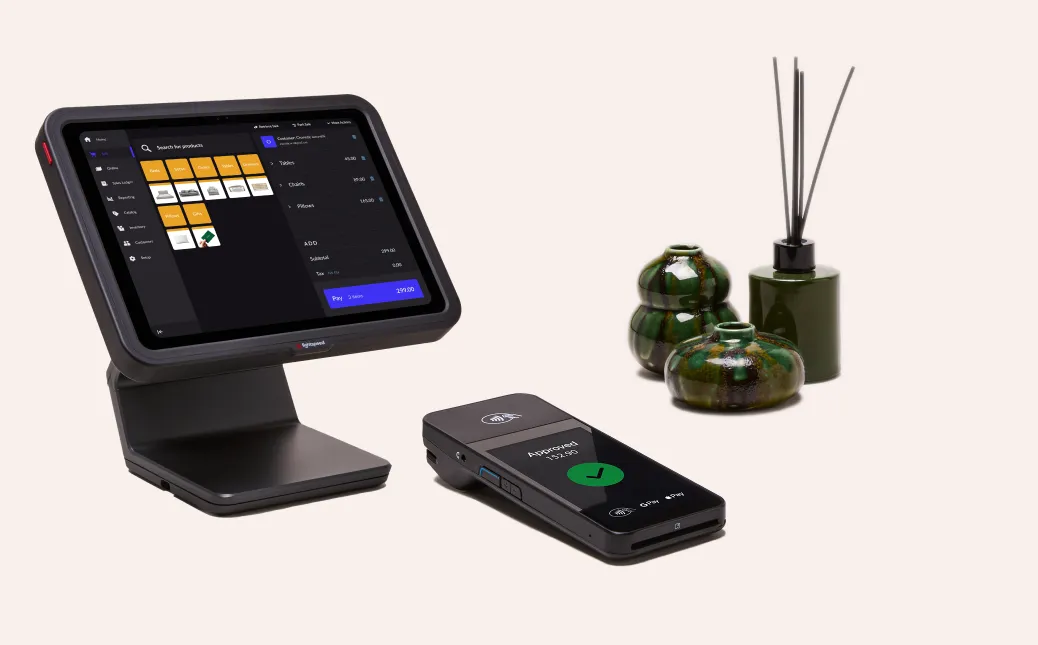
Accurate tracking of sales and the generation of detailed reports are essential for any business aiming to optimize operations, understand customer behavior, and maximize profits. In retail, hospitality, and service industries, Point of Sale (POS) systems play a central role in collecting and analyzing business data. Among the various POS solutions available, desktop POS machines are particularly effective in providing reliable sales tracking and comprehensive reporting features.
Understanding Sales Tracking in a Desktop POS Machine
A desktop POS machine is a stationary, all-in-one system that integrates hardware and software to manage sales, inventory, and reporting. It typically includes a touchscreen monitor, central processing unit (CPU), cash drawer, barcode scanner, receipt printer, and payment terminal. A professional Desktop POS Machine connects all these components to POS software that automatically records every transaction. By capturing sales data in real time, desktop POS machines eliminate manual errors, reduce discrepancies, and provide business owners with accurate insights into daily operations.
Real-Time Sales Tracking
One of the primary benefits of a desktop POS machine is its ability to track sales in real time. Each transaction, whether in-store or online, is automatically recorded in the system, providing immediate updates to revenue totals, itemized sales, and payment methods. This capability allows managers to monitor sales performance throughout the day, identify peak business hours, and make timely operational decisions. Real-time tracking ensures that inventory levels are updated instantly, preventing stockouts or overstocking and helping businesses maintain smooth operations.
Generating Comprehensive Reports
Desktop POS machines are equipped with advanced reporting tools that offer insights beyond simple sales totals. Reports can include details such as revenue by product category, individual item performance, daily or weekly sales trends, and employee productivity. These reports allow managers to identify high-performing products, assess seasonal demand, and pinpoint underperforming items. Additionally, reports can be customized to display specific metrics relevant to a business’s unique operations, giving owners a clear understanding of overall performance.
Supporting Strategic Business Decisions
Sales tracking and reporting are not just about recording numbers—they provide actionable insights that help businesses make strategic decisions. Desktop POS machines allow owners and managers to analyze historical sales data to plan promotions, adjust pricing, or introduce new products. For example, if a report indicates that a particular item consistently sells well during certain periods, a business can plan inventory and marketing efforts to maximize revenue. Conversely, items that show declining sales can be re-evaluated or replaced to improve profitability.
Employee Performance and Accountability
Another advantage of desktop POS machines is their ability to track individual employee performance. The system can record which employees processed specific transactions, the volume of sales handled, and any discounts or voided transactions applied. This data allows managers to monitor performance, identify training needs, and maintain accountability. By providing visibility into staff activities, desktop POS machines help reduce errors, prevent misuse, and encourage employees to maintain high productivity and service quality.
Integration With Inventory Management
Sales tracking through a desktop POS machine is closely linked with inventory management. Every transaction reduces the stock level in real time, ensuring that inventory records are always accurate. This integration enables businesses to reorder products proactively, plan for peak demand, and minimize losses due to stock discrepancies. Combining sales and inventory data also supports financial reporting and tax preparation, streamlining back-office operations.
Remote Access and Cloud Reporting
Modern desktop POS machines often offer cloud-based reporting features, enabling managers to access sales data and reports from any location using a secure internet connection. This remote access is particularly valuable for multi-location businesses, franchise operations, or owners who need to monitor performance while away from the premises. Cloud integration ensures that data is synchronized across all terminals, providing a comprehensive and unified view of business performance.
Benefits of Using a Desktop POS Machine for Sales Tracking
Implementing a desktop POS machine provides several key benefits:
-
Accuracy: Automated recording reduces manual errors and ensures reliable data.
-
Efficiency: Real-time updates save time and improve operational flow.
-
Informed Decisions: Detailed reports support strategic planning and decision-making.
-
Employee Accountability: Performance tracking enhances oversight and productivity.
-
Inventory Optimization: Integrated sales and stock management reduces losses and improves efficiency.
Conclusion
Desktop POS machines are invaluable tools for tracking sales and generating comprehensive reports. By capturing transactions in real time, integrating with inventory systems, and offering detailed analytics, they provide business owners with accurate data to drive informed decisions. From monitoring revenue trends and product performance to managing employee accountability and planning inventory, a desktop POS machine enhances operational efficiency and supports business growth. For businesses seeking to streamline sales management and reporting, investing in a desktop POS machine is a strategic step toward long-term success.