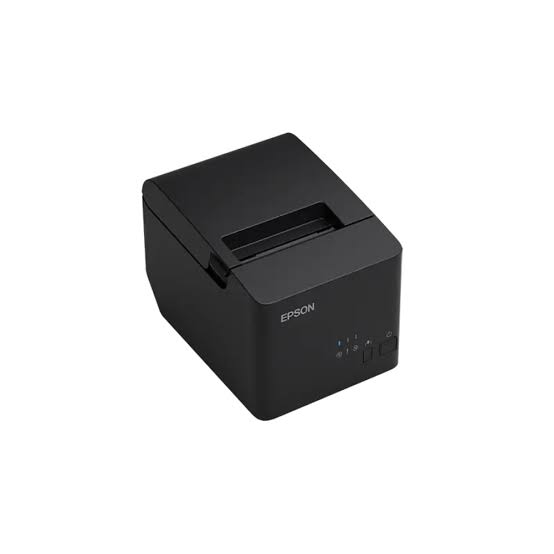
Customer checkout is one of the most important stages of the shopping experience. Whether someone is purchasing groceries, paying for a restaurant meal, or completing a transaction at a service counter, they generally expect the process to be quick, accurate, and convenient. Delays at checkout can create long queues, increase employee workload, and negatively affect customer satisfaction. Businesses therefore rely on efficient point-of-sale equipment to keep transactions moving smoothly.
A modern Receipt Printer supports this process by producing transaction records quickly and working with POS software to reduce manual tasks. Its contribution goes beyond printing a purchase summary. The right printing solution can improve transaction accuracy, support different payment arrangements, simplify returns, and help employees serve customers more efficiently. Understanding these benefits shows why receipt printers remain important in modern retail and commercial environments.
1. Reducing the Time Required to Complete Transactions
Printing speed directly influences how quickly employees can finalize purchases. Modern thermal receipt printers are designed to produce documents within seconds, allowing cashiers to complete transactions without waiting for lengthy printing processes.
In supermarkets, convenience stores, and busy retail outlets, small time savings can become significant when hundreds of customers visit throughout the day.
Fast receipt production helps employees:
- Complete payment procedures more efficiently.
- Reduce delays between consecutive transactions.
- Serve more customers during peak periods.
- Keep checkout queues moving.
- Spend less time handling routine printing tasks.
A printer with suitable speed and reliable performance can therefore contribute to a smoother checkout process.
2. Supporting Automated Point-of-Sale Workflows
Modern POS systems connect payment terminals, computers, barcode scanners, and receipt printers to manage customer transactions. When a purchase is completed, the software automatically sends the transaction information to the printer.
The printer then produces a receipt containing relevant details, such as product descriptions, quantities, prices, discounts, taxes, and payment information.
This automation eliminates the need for employees to prepare receipts manually. It also reduces the number of steps required to complete a standard transaction.
For businesses with frequent customer purchases, integrating receipt printing with POS software helps create a consistent and efficient checkout routine.
3. Minimizing Manual Errors
Manual receipt preparation can introduce mistakes, including incorrect prices, missing transaction details, and inaccurate totals. These errors may require additional time to investigate and correct.
Integrated receipt printing helps reduce such problems because the printer receives information directly from the POS system.
For example, when a cashier scans several products, the software calculates the subtotal, applies available discounts, and determines the final amount. The printer uses this information to generate the receipt.
This process improves consistency and reduces repetitive data entry. However, accurate product information and properly configured POS software remain essential for producing correct receipts.
4. Improving Customer Confidence Through Clear Receipts
A clear and well-organized receipt gives customers a reliable record of their purchases. It allows them to review the products they purchased, confirm the total amount, and check applicable taxes or discounts.
Modern thermal printers can produce readable text, business information, and compatible graphics or barcodes. Depending on the POS software, receipts may also include payment references, return instructions, and customer service details.
When customers receive accurate documentation immediately after payment, they can leave the checkout area with greater confidence in the transaction.
5. Supporting Different Payment Methods
Businesses increasingly accept multiple payment methods, including cash, debit cards, credit cards, contactless payments, and supported digital payment services.
A receipt printer connected to a compatible POS system can generate transaction records regardless of the payment method used. Depending on the system configuration, the receipt may display the payment type, transaction reference, amount paid, and other relevant information.
This consistency helps employees handle different transactions without changing the basic receipt-printing process.
It is important to recognize that the printer does not authorize or process payments itself. Payment processing is handled by the payment terminal and associated software, while the printer produces the corresponding documentation.
6. Reducing Checkout Congestion During Peak Hours
Long queues can develop when businesses experience sudden increases in customer traffic. Slow transaction processing, equipment problems, and manual procedures can make the situation worse.
Reliable receipt printing helps reduce one potential source of checkout delays. Fast printing allows cashiers to complete the documentation stage promptly and move on to the next customer.
Businesses can further improve checkout efficiency by:
- Installing printers that match their transaction volume.
- Maintaining sufficient receipt paper supplies.
- Using compatible POS software.
- Keeping printer drivers and configurations updated.
- Training employees to handle common printing issues.
- Positioning equipment for convenient access.
These measures help maintain consistent checkout performance during busy periods.
7. Enabling Flexible Checkout Arrangements
Not every business processes payments at a fixed counter. Restaurants, delivery services, outdoor vendors, and mobile retailers may need to complete transactions in different locations.
Portable receipt printers offer an alternative to stationary checkout equipment. Many models use thermal technology, rechargeable batteries, and wireless connectivity.
Employees can connect compatible printers to smartphones, tablets, or handheld POS devices and issue receipts wherever transactions take place.
This flexibility can improve service in environments where customers prefer not to wait at a central payment station.
8. Supporting Faster Restaurant Service
Restaurants and cafés handle several activities simultaneously, including order taking, food preparation, billing, and payment collection. Receipt printers help coordinate parts of this workflow.
Thermal printers can quickly produce customer bills at cashier stations. Compatible kitchen printers can receive order details from POS terminals, helping staff communicate customer requests to preparation areas.
Some businesses also use portable printers for tableside payments, allowing employees to finalize bills without directing customers to a separate checkout counter.
These arrangements can reduce unnecessary movement and help restaurants manage customer service more efficiently.
9. Making Returns and Exchanges Easier
A faster checkout experience also depends on what happens after a purchase. Customers may return products, request exchanges, or ask questions about previous transactions.
Printed receipts provide useful information for verifying purchases, including transaction dates, item descriptions, quantities, prices, and reference numbers.
When receipts are integrated with digital POS records, employees may also be able to retrieve the original transaction through the business system.
This makes it easier to review purchase details and apply the relevant return or exchange policy. Clear documentation can reduce confusion and prevent unnecessary delays at customer service counters.
10. Supporting Multiple Checkout Stations
Larger businesses often operate several checkout counters or service stations. Network-connected receipt printers can help organize printing across these locations when the POS software and network configuration support shared access.
For example, a supermarket may use individual printers at each checkout station, while a restaurant may route orders from several terminals to designated kitchen printers.
Ethernet and Wi-Fi connectivity can provide flexibility in how printers are positioned and accessed.
Businesses should confirm that their equipment can handle the expected number of print requests and that the POS system routes documents to the correct devices.
11. Choosing the Right Printing Technology for Checkout Efficiency
Different printer technologies offer different performance characteristics. Selecting an appropriate model helps businesses match printing capabilities with customer service requirements.
Thermal Receipt Printers
Thermal printers use heat-sensitive paper and do not require traditional ink cartridges or ribbons. They are widely used in modern retail and hospitality environments because of their fast, quiet operation.
They are generally suitable for:
- Supermarket checkout counters
- Retail stores
- Convenience shops
- Cafés and restaurants
- Pharmacy payment stations
Impact Receipt Printers
Impact printers use pins and an ink ribbon to produce characters on paper. They are typically slower and noisier than thermal models but can support multipart forms.
They may be appropriate for specialized applications, such as kitchen order documentation or businesses that require duplicate paper records.
Mobile Receipt Printers
Mobile printers are compact devices designed for portable operation. Wireless connectivity and rechargeable batteries allow employees to issue receipts away from fixed checkout stations.
They are useful for delivery services, outdoor sales, and mobile payment operations.
12. The Importance of Connectivity and Software Compatibility
Even a fast printer may cause checkout delays if it cannot communicate reliably with the POS system. Businesses should therefore evaluate connectivity and compatibility before purchasing equipment.
Common connection options include:
USB: Provides a direct wired connection to a compatible POS terminal or computer.
Ethernet: Connects the printer to a local network and can support shared printing arrangements.
Bluetooth: Enables wireless communication with compatible mobile devices.
Wi-Fi: Allows printing through a supported wireless network.
Businesses should also check operating-system support, printer drivers, printing command compatibility, and POS application requirements. Proper configuration helps prevent connection failures and formatting errors.
13. Maintaining Printers to Prevent Checkout Interruptions
A printer that frequently jams, produces unclear text, or loses its connection can slow down customer service. Regular maintenance helps prevent avoidable problems.
Useful practices include:
- Cleaning the print head according to manufacturer instructions.
- Removing paper dust and debris from the paper path.
- Using compatible paper rolls.
- Checking automatic cutter operation.
- Inspecting cables and power connections.
- Updating drivers or firmware when necessary.
- Keeping spare paper supplies available.
Employees should also understand basic troubleshooting procedures, such as checking paper orientation, restarting the device when appropriate, and confirming that the POS system recognizes the printer.
Preventive maintenance is particularly important for businesses that depend on continuous checkout operations.
14. Evaluating Printer Features for Better Customer Service
Businesses should consider several specifications when selecting equipment for customer-facing operations.
| Feature | How It Supports Checkout |
|---|---|
| Printing speed | Reduces waiting time during receipt production |
| Print resolution | Improves the readability of transaction details |
| Automatic cutter | Makes receipt handling more convenient |
| Connectivity | Supports integration with POS equipment |
| Paper capacity | Reduces interruptions for roll replacement |
| Compact design | Saves space at checkout counters |
| Durability | Supports regular use in busy environments |
| Software compatibility | Helps prevent printing and integration problems |
The best combination depends on transaction volume, available workspace, customer service arrangements, and the business’s existing technology.
Conclusion
Receipt printers support faster customer checkout experiences by producing transaction records quickly, integrating with POS software, and reducing manual documentation tasks. They also help businesses maintain accurate purchase information, support different payment methods, and manage returns and exchanges more efficiently.
From traditional retail counters to mobile payment environments, the right printing solution can improve the flow of daily transactions. By selecting suitable printing technology, connectivity, speed, and maintenance arrangements, businesses can reduce avoidable delays and provide customers with a more convenient checkout experience.